
From drawing
to quote.
Gather the request, work through the costs and send a quote. Your shop rates and judgment guide every step.
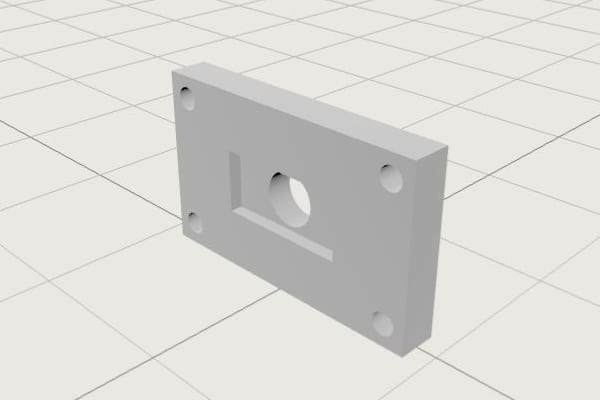
Start with what
your customer sent.
Add drawings, supported CAD files, quantities and customer requirements to one request.
Mounting bracket
BR–4471 · Revision C
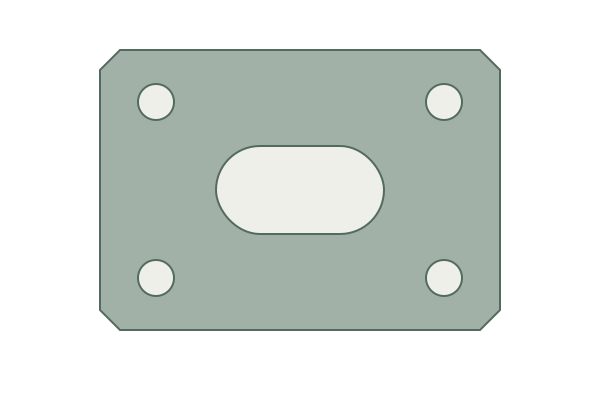
Check the part.
Confirm the details.
Check suggested materials, finishes and tolerances against the drawing. Correct the details before they become the basis of your price.
Build your price.
Enter your prices or calculate from material and operation costs. Compare quantity breaks and set your lead time.
Ready for
your customer.
Review the draft, then send a quote with your shop’s name, prices and terms. Customers can respond through the quote link or reply to your mailbox.
Open the sample quote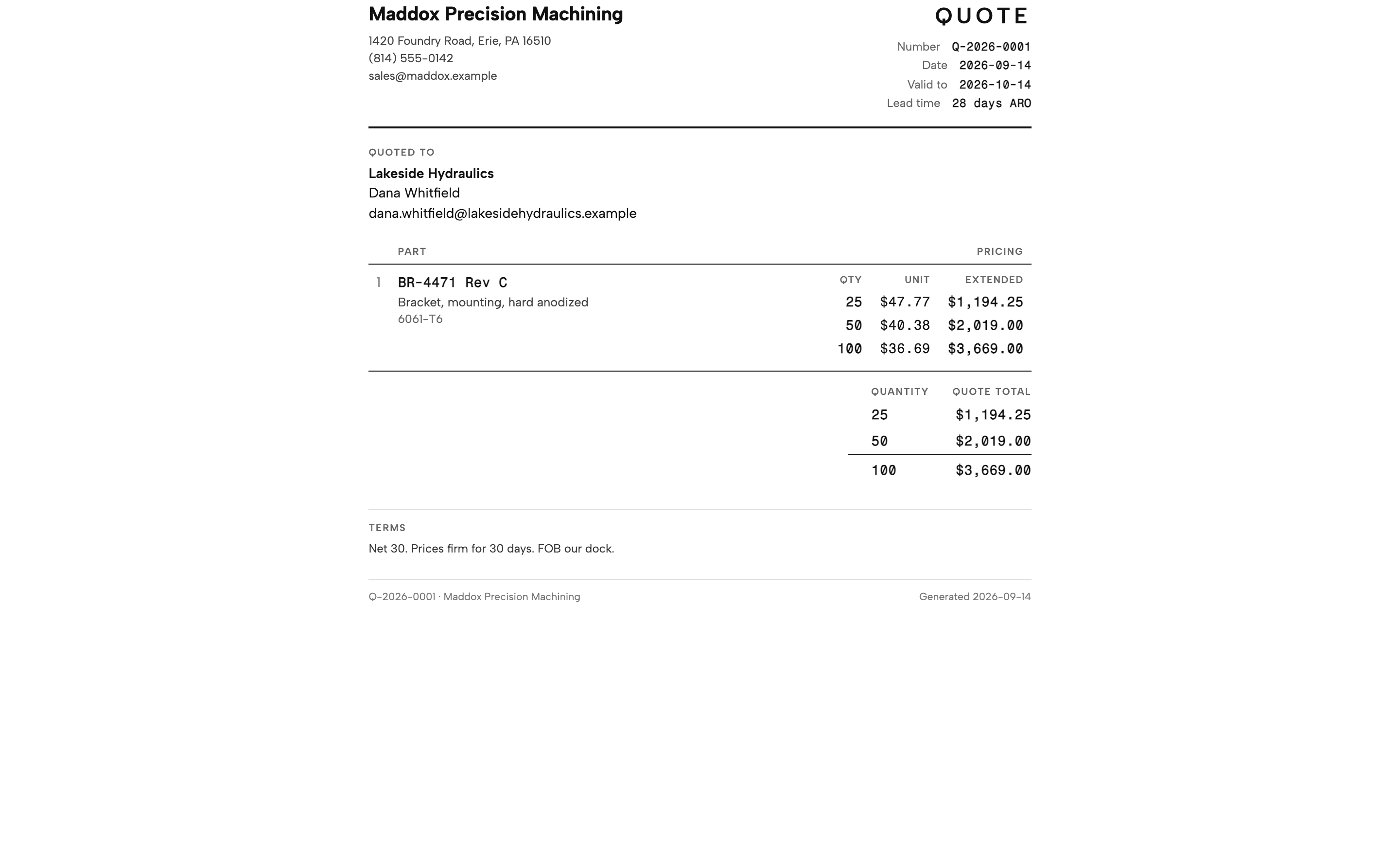
Common questions.
Data & securityDo I need a CAD model to start?
You can start with PDF drawings and the customer’s requirements. Supported CAD models add geometry you can inspect, but your drawing and your review remain part of the process.
Can I use my own prices?
Yes. Enter unit prices directly, or calculate from material and operation costs. You can compare quantity breaks, add expenses and set the production lead time.
What does the AI decide?
AI suggests details and optional estimates. You review the source, correct the requirements and decide whether to apply an estimate. AI can make mistakes; you approve the final quote.
How do we get started?
Book a walkthrough with our founder. Bring a representative request and your shop rates. We’ll work through it together and arrange guided access so you can try the next request yourself.